
RAG Explained for Developers Who Just Want to Ship a Feature
A practical guide to retrieval-augmented generation for developers shipping their first AI feature, including what to build, what to skip, and the three mistakes most beginners make.

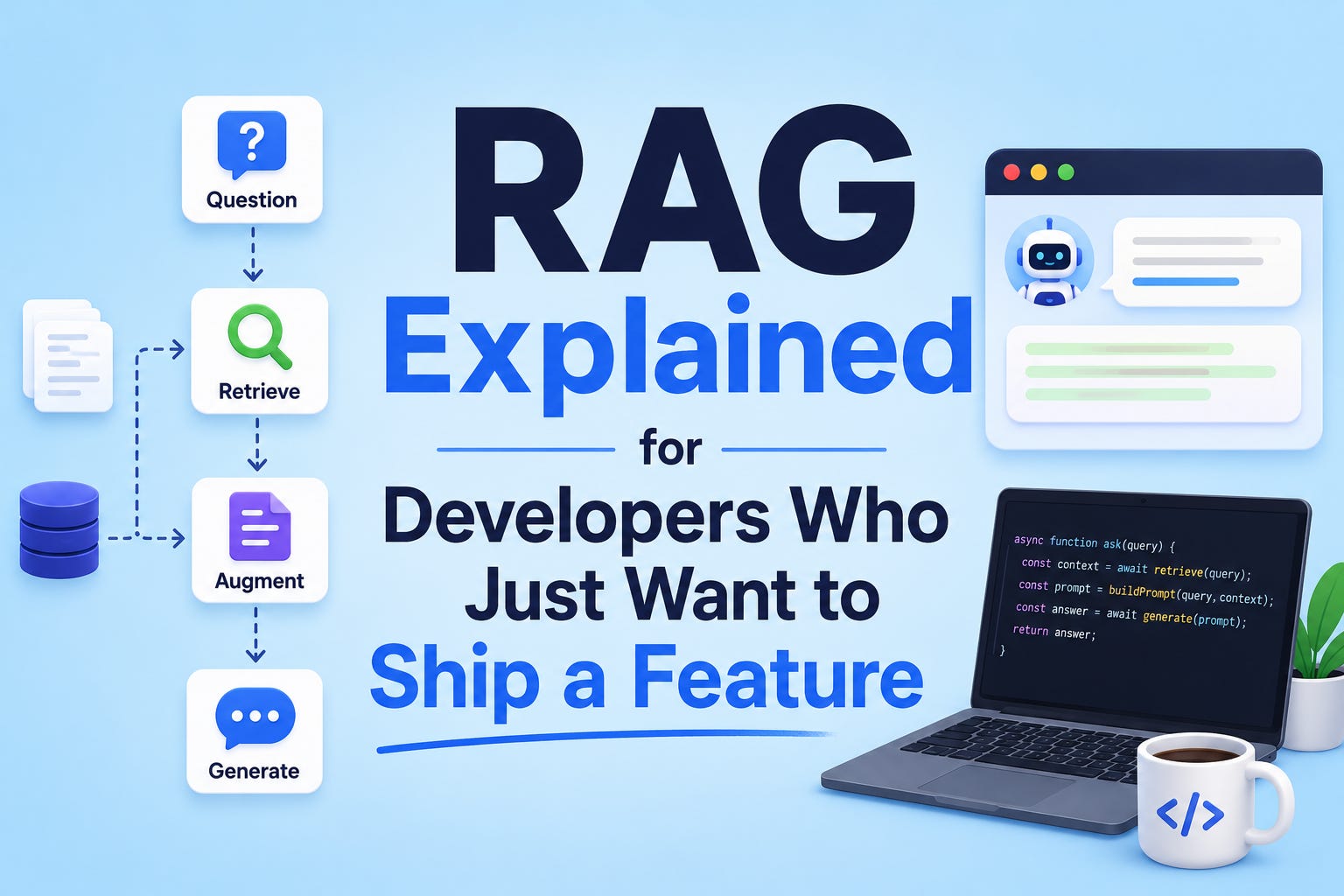
Retrieval-augmented generation has a vocabulary problem.
The acronym sounds technical.
The literature around it leans heavily on terms like embeddings, vector spaces, semantic similarity, and reranking pipelines, and most introductory posts assume the reader wants to understand the architecture before applying it.
For a developer trying to ship a feature this sprint, that ordering is backwards. The architecture only makes sense once the problem it solves is clear.
The problem RAG solves is straightforward.
Large language models are trained on data up to a particular cutoff date and have no awareness of anything outside that training set. They don’t know your company’s internal documentation. They don’t know last week’s policy update. They don’t know the specific contents of the PDF a user just uploaded.
Asked about any of those, the model either guesses confidently and gets it wrong, or refuses to answer.
The naïve fix is to dump everything the model needs into the prompt. That works for short documents but fails as soon as the relevant data is larger than what the model can read in a single conversation.
Even when it fits, paying to send a 50-page document to the model on every single query is wasteful and slow.
RAG is the fix that actually works.
The idea is to retrieve only the relevant pieces of information at query time and pass those, along with the user’s question, to the model.
The model then generates its answer using both its own knowledge and the retrieved context.
Retrieval, augmented, generation.
The acronym describes the workflow more literally than most acronyms do.
Most of the complexity in RAG tutorials comes from production-grade concerns: scaling to millions of documents, evaluating retrieval quality at fleet level, and tuning the system for edge cases.
Those concerns are real, and they matter for serious deployments. They are also wildly out of scope for a developer trying to ship a first version of a feature.
This post is about that first version.
The minimum viable RAG that gets a working feature in front of users.
Why ship a RAG feature at all
Before getting to how, the why is worth a paragraph.
RAG is the architectural answer to “I want my app to use AI on data the model wasn’t trained on.”
That category covers a substantial portion of practical AI features being shipped in 2026.
The most common shipped use cases follow a recognizable pattern:
Internal knowledge search: a chatbot or search bar that answers questions based on the company’s docs, wiki, or knowledge base, instead of generic training data
Document Q&A: a feature that lets users upload a PDF, contract, or report and ask questions about its contents, common in legal, financial, and research tools
Customer-specific support: AI-powered support flows that answer using a particular customer’s account history, settings, or recent activity, rather than generalities
Personalized recommendations or summaries: features that pull from a user’s own content (notes, messages, history) to generate something tailored to them
What these have in common is data that’s specific, fresh, or private, three things a base language model doesn’t have access to.
RAG is how you give the model that access without retraining it.
The Four Moving Parts of a Working RAG System
Strip away the production concerns and a basic RAG system has four parts.
Most introductory posts list more, but the additional parts are refinements that can be added later.
The four below are the irreducible minimum.
1. Documents
This is the source material the system will retrieve from. It can be company documentation, uploaded PDFs, support tickets, product manuals, knowledge base articles, or any text the model needs access to.
The first practical decision is how to break documents into smaller pieces, called chunks.
A 50-page document is too large to retrieve usefully as a single unit, because most user questions only need a small portion of it.
Chunking the document into smaller sections (typically a few paragraphs each) lets the system retrieve only the relevant section.
The default chunking strategy that works well enough for most first features: split on paragraph boundaries, target roughly 500 to 1,000 characters per chunk, and allow some overlap between chunks so context isn’t lost at boundaries.
Sophisticated chunking strategies exist and matter eventually. They aren’t worth optimizing for in version one.
2. Embeddings
An embedding is a numerical representation of a piece of text.
Specifically, it’s a list of numbers (typically 1,536 of them, though the count varies by provider) that represents what the text is about in a way that machines can compare.
The useful property of embeddings is that texts with similar meanings produce similar numerical representations, even when the exact words differ.
The phrase “how do I reset my password” and “I forgot my login credentials” produce embeddings that are mathematically close to each other, even though they share almost no words. That mathematical closeness is what makes retrieval work.
Generating embeddings is a single API call.
OpenAI, Anthropic, Cohere, and several open-source providers offer embedding endpoints.
The choice between them matters less than the fact that you’re using one consistently, both for the documents and for the user’s queries.
3. A Vector Store
This is the database that holds the embeddings, along with the original text chunks they came from.
When the user asks a question, the system embeds the question, then asks the vector store to return the chunks whose embeddings are closest to the question’s embedding.
The minimum viable vector store options break down into three categories:
Use what you already have: if your app already runs on PostgreSQL, the
pgvectorextension turns Postgres into a perfectly usable vector store. No new infrastructure, no new vendor relationship, no new billUse a managed service: Pinecone, Weaviate, and Qdrant offer hosted vector databases with generous free tiers. Easier to start with than self-hosting, but adds an external dependency
Use an in-memory store for prototypes: for very small datasets (a few thousand chunks or fewer), libraries like FAISS or even a simple Python list with a similarity function are enough to validate the feature before investing in real infrastructure
For a first feature with a few hundred or few thousand documents, pgvector is almost always the right answer. It scales further than most teams expect, and the architectural simplicity of “we already have a database” is genuinely valuable.
4. The Generation Step
Once relevant chunks have been retrieved, they’re passed to the language model along with the user’s question, in a single prompt structured roughly like this:
“Here are some relevant excerpts from our documentation: [retrieved chunks]. Based on these excerpts, answer the following question: [user’s question]. If the answer isn’t in the excerpts, say so.”
The model then generates an answer using both its general knowledge and the specific context provided.
The “if the answer isn’t in the excerpts, say so” instruction is critical.
Without it, the model will sometimes invent answers when retrieval fails, which is the worst possible failure mode.
That’s the entire system.
Documents, embeddings, vector store, generation.
The first feature you ship will have all four pieces, and most of the engineering complexity will be in plumbing, not in any individual part.
The First Feature to Build
The most common mistake juniors make with RAG is reaching for chatbots as the first feature.
Chatbots are flashy and feel impressive, but they’re also unbounded. Users can ask anything, the system has to handle anything, and the failure modes are difficult to constrain.
The far better first feature is a search bar over a defined corpus.
“Search our docs intelligently.”
“Find the relevant clause in this contract.”
“Pull up the right policy for this question.”
Search is narrower, easier to scope, easier to evaluate, and more obviously useful than a chatbot for most real applications.
A search-bar feature also has a built-in honest failure mode: if the retrieval doesn’t find a relevant chunk, the system can simply say “no matching results” instead of hallucinating an answer.
That kind of graceful degradation is much harder to achieve with a free-form chatbot.
Once a search-bar feature is shipped and working, expanding it into a Q&A flow or chatbot becomes incremental rather than ambitious.
Most successful production RAG systems started as search and became conversational over time.
The Three Mistakes Everyone Makes on Their First RAG Feature
Some failure modes are universal enough to flag in advance.
1. Chunks That Are Too Big or Too Small
Chunks too large dilute relevance.
A 5,000-character chunk might contain the right answer, but it also contains four other paragraphs of unrelated content, which means the embedding represents a blurry average of all of it.
Retrieval becomes less precise.
Chunks too small lose context. A 100-character chunk might be a single sentence that doesn’t make sense without the paragraph it belongs to. Retrieval finds the chunk, but the model can’t use it.
The pragmatic answer for a first feature is to target chunks in the 500 to 1,000 character range, with paragraph boundaries respected.
Tune later when there’s evidence about specific failure modes.
2. No Fallback for “I Don’t Know”
When retrieval fails (no chunks are sufficiently relevant to the user’s question), the system has two options: tell the user “no relevant information found” or pass weak retrieval results to the model and hope it figures something out.
The second option produces hallucinations.
A reasonable threshold-based fallback is to measure the similarity score between the user’s query and the best-retrieved chunk.
If the score is below a chosen threshold (specific to the embedding model, but usually a similarity below 0.7 or so), the system declines to answer rather than passing the weak results to the model.
This is the single most important quality control for a RAG system, and it’s the part most first implementations skip.
3. Confusing Retrieval Quality with Generation Quality
When a RAG feature gives a wrong answer, there are two possible failures: the retrieval found the wrong chunks (a retrieval problem), or the model generated a wrong answer from the right chunks (a generation problem). They have completely different fixes.
The fix for retrieval problems is usually about chunking, embedding, or the threshold. The fix for generation problems is usually about prompting (giving the model clearer instructions) or model choice (using a more capable model for harder questions).
Diagnosing which failure occurred requires logging both stages.
Always log the chunks that were retrieved, before they go to the model.
Without that log, every failure looks like a generation failure even when it isn’t, and the time spent fine-tuning the prompt accomplishes nothing.
What This Approach Won’t Cover
A few things worth being honest about, because the production-grade discussions exist for real reasons.
Scale: the architecture above works comfortably for tens of thousands of documents. At hundreds of thousands or millions, considerations like reranking, hybrid search (combining keyword and vector search), and more sophisticated retrieval strategies become important
Multi-modal content: if the source material includes images, diagrams, or scanned documents, simple text chunking misses important information. RAG over multi-modal content is a meaningfully harder problem and requires specialized tooling
Evaluation at scale: for serious deployments, manually checking that the system works on a few queries isn’t enough. Frameworks like RAGAS exist specifically for evaluating retrieval quality systematically. They become essential once a feature has real users, but they’re overhead for a first prototype
Sensitive data: RAG over confidential or regulated data has security implications beyond what this post covers, including access control on retrieved chunks, audit logging, and decisions about which embedding provider sees the source material
These categories all matter eventually.
For a first feature, none of them block shipping. They’re worth knowing about so the conversation about scaling later starts from an informed position rather than a panicked one.
What to Build This Weekend
Pick one document. A PDF you’ve been meaning to read.
The README of a project you work on.
A long article that’s been sitting in your reading list.
Build a single-page tool that lets you ask questions about that one document.
Use the four parts above: chunk it, embed it, store the embeddings, and pass relevant chunks to a model with the user’s question.
Use whatever stack is closest to what you already know.
The whole project, end to end, is a weekend of work.
The output is a working RAG feature on a real document, which is meaningfully more than 90% of developers who say they understand RAG can claim.
After that, scaling up to a real corpus is a matter of plumbing, not new architecture.
The shortest path to understanding RAG is shipping one.
Reading about it has diminishing returns past a certain point. Building it has none.
The fastest way to understand RAG is to ship one.
Theory has limits. The repo doesn’t.